
Sign in with a one-time code
The application uses a six-digit code instead of a password. You need access to the email address on your account.
If you are already signed in, opening the sign-in page sends you to your dashboard.
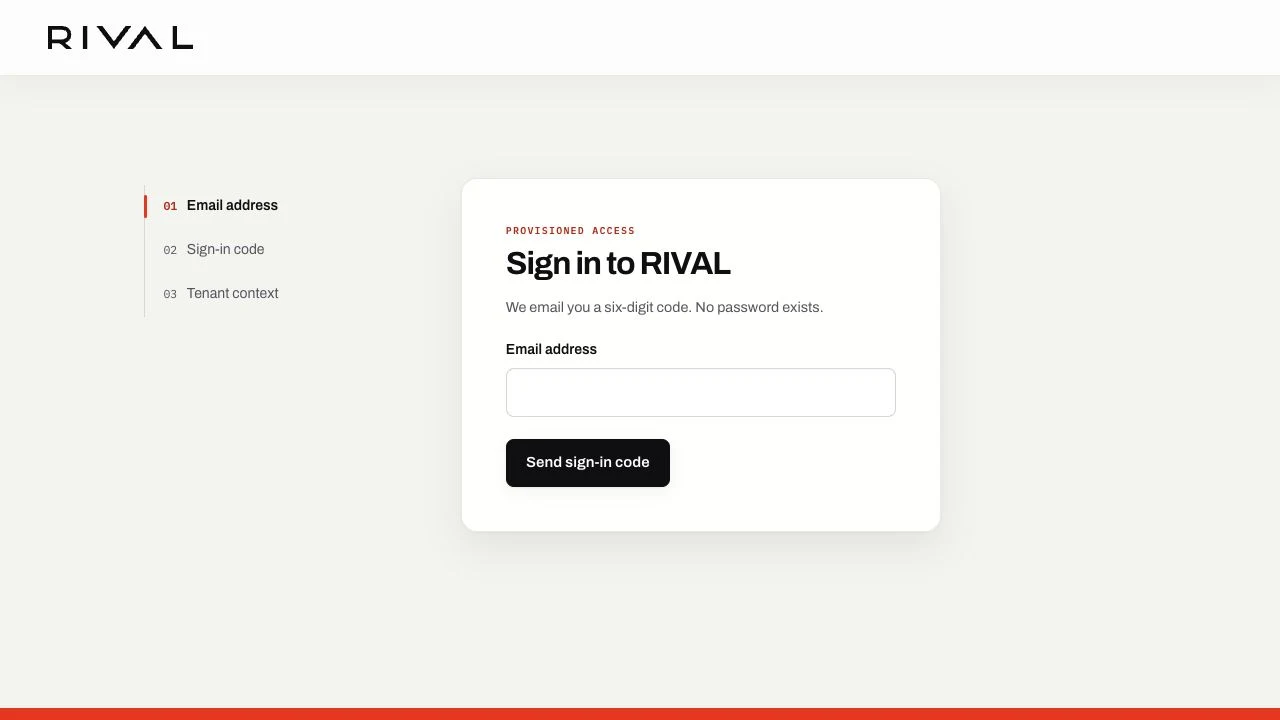
Request a code
- Open the sign-in page.
- Enter your email address.
- Select Send sign-in code.
- Open the newest sign-in message in your inbox.
- Copy the six-digit code.
The sign-in message uses the platform identity because you have not selected a workplace. It does not show an Operator. Read Recognize a transactional email for the sender details.
The page shows the same response for every submitted address. This response protects account privacy.
Complete sign-in
- Return to the sign-in page.
- Enter the six-digit code.
- Select Sign in.
The application opens your dashboard when you have one available place to work. It asks you to choose when you have more than one.
Return from a public page
When you are signed in, the public header shows Back to RIVAL instead of Sign in. Select that action or the shared logo to open your dashboard.
If your session has expired, the public header shows Sign in again. Sign in with a new code to continue.
If the code does not work
Use the newest code. A code expires after ten minutes and works once.
Wait 15 minutes if the page reports too many attempts. Request a new code after the wait.
Contact the person who manages your access if no message arrives. Do not share a code with another person.
Recover from an error page
An expired sign-in form asks you to sign in again. Too many requests asks you to wait before you retry.
A temporary service problem can show a request reference. Share only that reference if you contact support. Never share a sign-in code.
Use Retry only when the page offers it. Use Home or Sign in to take a safe route back when retry is not available.